Shift Left Security: Stop Finding Bugs the Night Before Release
A practical, no-fluff guide to DevSecOps for people who just want to ship safely
Let me guess how security works at your company right now.
You build the feature for three weeks. QA tests it. Everyone's happy. Then, two days before release, the security team runs a scan and drops a list of 47 issues in your lap. Release gets pushed, someone's weekend is gone, and everyone's a bit annoyed at everyone.
Yeah. I've been there, and it's not fun.
The fix for this has a fancy name: shift left. It sounds like corporate jargon, but the idea is simple, and by the end of this post you'll have a working setup you can drop into a real project.
So what does "shift left" actually mean?
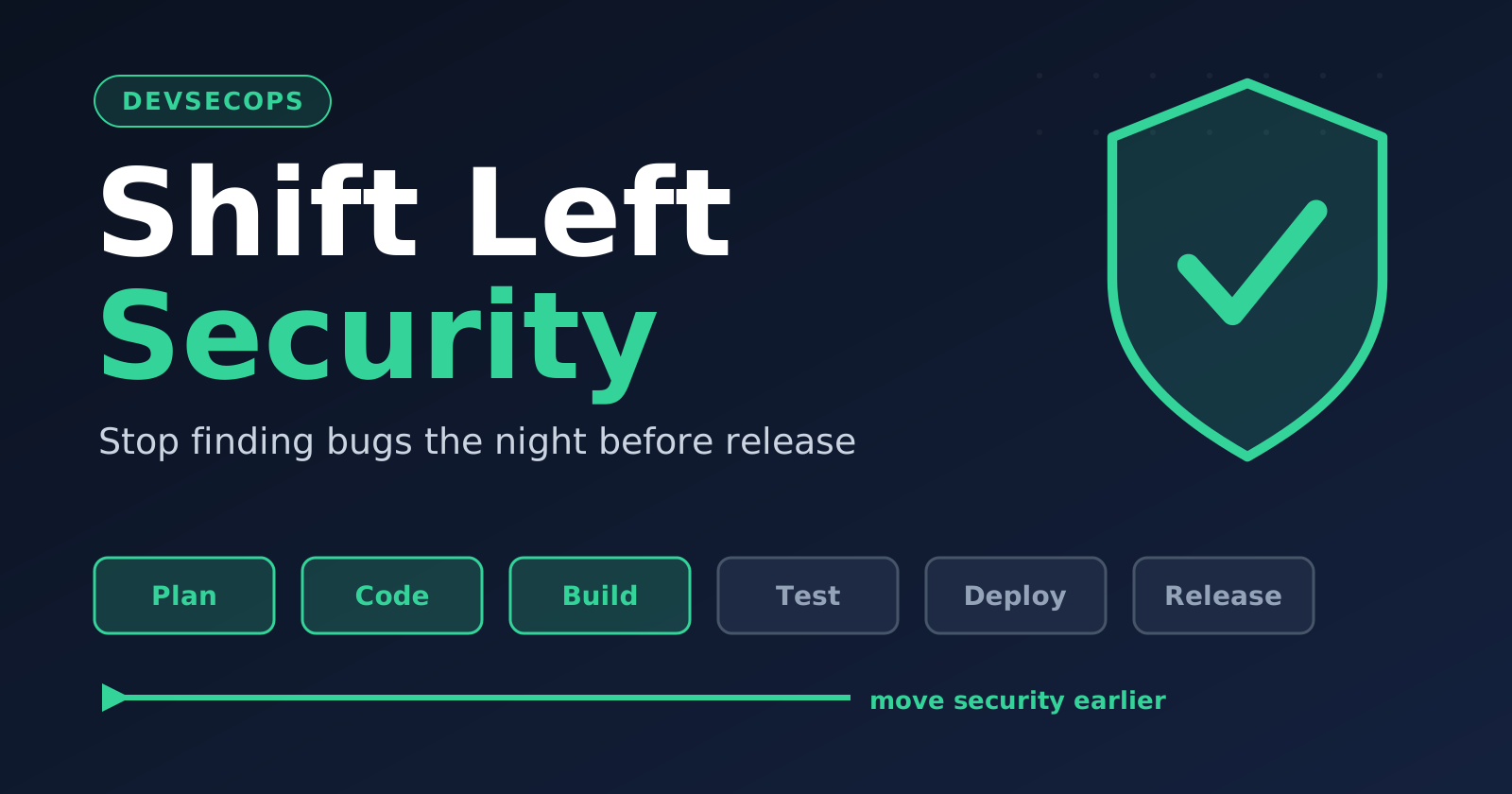
Picture your pipeline as a line going left to right: plan → code → build → test → deploy → release.
In the old way, security sits near the right side, just before release. Shift left means you move it toward the left, so checks happen while you're still writing the code.
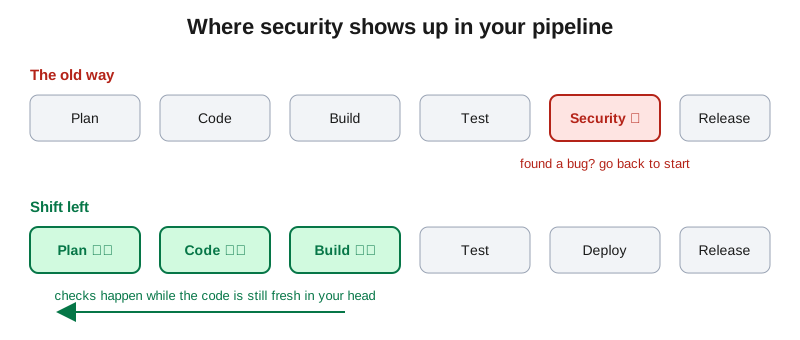
Why bother? Because the cost of fixing a bug grows the later you find it. A hardcoded password caught in your editor takes 10 seconds to fix. The same password found in production means rotating keys, checking logs, and probably an awkward meeting.
And DevSecOps?
DevSecOps is just DevOps with security treated as everyone's job, not one team's gatekeeping job. Shift left is the main habit that makes it work. Nobody needs to become a security expert. You just need the boring, automatic checks running before things get messy.
Let's build it, step by step.
Step 1: Stop secrets from ever leaving your laptop
This is the easiest win and the one that bites people most. API keys, DB passwords, tokens committed to Git. Once it's pushed, assume it's compromised, even if you delete it later, because Git remembers.
Use a pre-commit hook with gitleaks. Add this to .pre-commit-config.yaml in your repo:
repos:
  - repo: https://github.com/gitleaks/gitleaks
    rev: v8.18.4
    hooks:
      - id: gitleaks
Then run:
pip install pre-commit
pre-commit install
Now if you try to commit something that looks like a secret, the commit gets blocked right on your machine. Test it by adding a fake AWS key to a file. You'll get yelled at, which is exactly the point.
Step 2: Scan your code as you write it (SAST)
SAST means static application security testing. It reads your source code and flags risky patterns like SQL injection, unsafe eval, weak crypto and so on, without running anything.
Two good free options are Semgrep and CodeQL. Semgrep is quicker to set up, so let's use that. In your repo, create .github/workflows/security.yml:
name: security-checks

on:
  pull_request:
  push:
    branches: [main]

jobs:
  sast:
    runs-on: ubuntu-latest
    steps:
      - uses: actions/checkout@v4
      - name: Run Semgrep
        run: |
          pip install semgrep
          semgrep scan --config auto --error
The --error flag makes the job fail if it finds something, so a risky pull request can't quietly slide through.
One tip from experience: don't turn on every rule on day one. You'll get 300 warnings, everyone will get fatigued and ignore all of them. Start with high severity only, fix those, then widen.
Step 3: Check your dependencies (SCA)
Honestly, most of your app isn't code you wrote. It's libraries. And libraries have vulnerabilities. Remember Log4Shell? That was one library that half the internet was quietly using.
Add a dependency scan using Trivy. Add this job under jobs: in the same file:
  dependencies:
    runs-on: ubuntu-latest
    steps:
      - uses: actions/checkout@v4
      - name: Scan dependencies
        uses: aquasecurity/trivy-action@master
        with:
          scan-type: fs
          severity: CRITICAL,HIGH
          exit-code: 1
Also turn on Dependabot in your repo settings. It opens pull requests automatically when a dependency has a fix available. Free, and it saves a ridiculous amount of manual work.
Step 4: Scan your container image
If you ship Docker images, the base image you picked can carry a bunch of known vulnerabilities before you add a single line of your own code.
Trivy can scan the built image too:
  image-scan:
    runs-on: ubuntu-latest
    steps:
      - uses: actions/checkout@v4
      - name: Build image
        run: docker build -t myapp:test .
      - name: Scan image
        uses: aquasecurity/trivy-action@master
        with:
          image-ref: myapp:test
          severity: CRITICAL,HIGH
          exit-code: 1
Quick wins here: use slim or distroless base images, pin versions instead of latest, and don't run your container as root.
Step 5: Scan your infrastructure code (IaC)
If you write Terraform, Kubernetes YAML or CloudFormation, you can misconfigure things too. Think public S3 buckets or databases open to the whole internet.
Checkov catches that stuff before it ever gets deployed:
pip install checkov
checkov -d ./infra
Add it as another job in your workflow and you're covered.
Step 6: Make the whole thing a gate
Here's the part people skip. Scans that don't block anything get ignored within a month.
In your GitHub repo, go to Settings → Branches → Branch protection rules and require these checks to pass before a pull request can be merged. Now security isn't a suggestion, it's part of the definition of "done".
Mistakes I see everywhere
- Turning on everything at once. Alert fatigue is real. Start small.
- Treating it as the security team's problem. If devs never see the results, nothing changes. Put findings right in the pull request.
- No exceptions process. Sometimes a finding is a false positive. Let people mark it with a reason, rather than having them disable the tool.
- Slow pipelines. If your checks take 25 minutes, people will find ways around them. Keep them fast, and run the heavy stuff nightly.
Wrapping up
Shift left isn't about buying an expensive tool or hiring a security army. It's a pretty small set of habits:
- Block secrets at commit time
- Scan your code on every PR
- Watch your dependencies
- Scan images and infra code
- Make passing checks required
Do those five and you've already beaten most teams out there. Start with just the secrets check this week, it takes ten minutes. Then add one more thing each sprint.
If you try this out, drop a comment with what it caught. I'm always curious what people find on the first run (it's usually a little embarrassing, and that's fine).
Thanks for reading. 🙌
Comments
Join the discussionNo comments yet. Be the first to comment.